


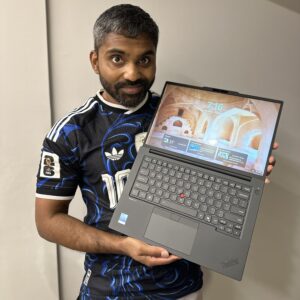
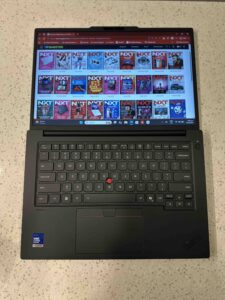
The Lenovo ThinkPad P14s i Gen 7 is not the sort of laptop that tries to impress by looking dramatic. It is a ThinkPad, which means the confidence is quieter, more functional and clearly built around people who need the machine to work hard without turning every workday into a hardware negotiation.
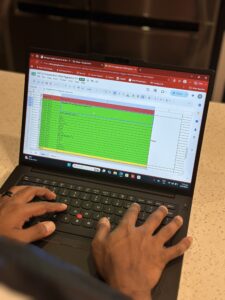
I approached it the way I’d approach a normal magazine production week: too many tabs open, image-heavy documents, copy edits, video calls, spec sheets, CMS work, email, and the occasional creative file that reminds you very quickly whether your laptop is actually “pro” or just wearing the label. That is where the P14s i starts to make sense. It feels like a machine built for people who move between office productivity and heavier professional work without wanting to switch devices.
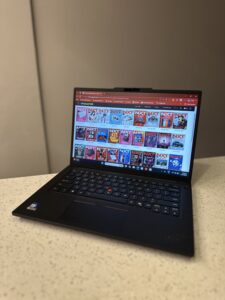
Lenovo positions the P14s i Gen 7 as a compact, ultra-lightweight mobile workstation, and that description feels fair.
Starting at 1.63kg, it is not trying to be an ultrabook, but it is far easier to imagine carrying daily than a traditional workstation-class laptop. The chassis still has that familiar ThinkPad seriousness: practical, sturdy, unfussy, and designed more for outcomes than theatre.
The headline, of course, is performance. Lenovo lists the machine with up to an Intel® Core™ Ultra X9 Series 3 Processor for Copilot+ PCs, with up to 16 cores and up to 5.1 GHz. That processor naming matters because this is not just another AI PC badge exercise. It gives the P14s in the platform the ability to handle modern productivity, local AI workloads, and heavier multitasking with more confidence than a mainstream business notebook.
Graphics scale up to an NVIDIA RTX PRO 1000 Blackwell Generation Laptop GPU with 8GB of GDDR7 memory. In practice, that is what gives the laptop its workstation personality. For an editor, it means more confidence when handling visual assets, creative tools, content review and export-heavy workflows. For engineers, designers, educators and technical users, it is the kind of GPU headroom that separates “can open the file” from “can work on the file comfortably.”
Lenovo also lists ISV certifications including Altair, ANSYS, Autodesk, AVID, Bentley, Dassault, Nemetschek, PTC and Siemens, which is exactly the detail serious workstation buyers should care about. This is not glamour, but it is trust. If your tools are specialised, certification is often more reassuring than another shiny benchmark claim.
AI performance is another major part of the pitch. The platform is listed with up to 50 TOPS from the NPU, up to 120 TOPS from the integrated GPU and up to 440 TOPS from the discrete GPU, for a total of up to 610 TOPS. The useful part is not the number alone, but what it points toward: local AI acceleration for the workflows that are beginning to shape professional computing, from creative assistance to modelling, automation and smarter collaboration.
The memory story is also unusually interesting. The P14s i supports up to 96GB of LPDDR5x 8533MT/s LPCAMM2 memory. That gives it serious multitasking overhead, but the more important detail is serviceability. Lenovo highlights the memory as customer replaceable, which matters on a workstation. When a laptop is meant to be deployed, maintained and used seriously over several years, upgradeability is not a nerdy aside. It is part of the value.
The display options are properly work-focused too. The top panel is a 14.5-inch 3K IPS display with 3072 x 1920 resolution, 500 nits brightness, 100 per cent DCI-P3 coverage, 120Hz refresh rate, anti-glare treatment, Eyesafe certification and timing controller colour calibration. I like this direction. It does not chase OLED drama, but it gives creators and professionals a sharp, colour-aware, practical screen that makes sense for long working days.
Connectivity is reassuringly ThinkPad. You get two USB-A ports, two USB-C Thunderbolt 4 ports, HDMI 2.0, RJ-45 Gigabit Ethernet, an SD Express 8.0 slot, smart card reader support and a headphone/mic combo jack. This is one of those areas where you appreciate the machine more during real work than during a spec skim. You can plug in storage, monitors, networks, cards and accessories without turning your desk into a dongle museum.
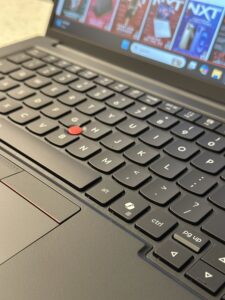
Security and manageability are equally enterprise-minded. Lenovo lists Intel vPro security, ThinkShield, dTPM 2.0, Self Healing BIOS, touch fingerprint reader, webcam privacy shutter, human presence detection and Kensington lock support. Again, not glamorous. But for the people buying a mobile workstation for actual organisations, this stuff is the difference between a powerful laptop and a deployable professional tool.
There are still trade-offs. At 1.63kg and up to 22.2mm at its thickest point, the P14s i is portable rather than featherweight. Battery options go up to 75Whr, but with discrete graphics and workstation-class ambitions, heavy users should still expect to keep the charger nearby when pushing the machine hard. The design is also classic ThinkPad: refined, purposeful and durable, but not the machine you buy for visual drama.
That may actually be the point. The ThinkPad P14s i Gen 7 is not lifestyle tech. It is a compact mobile workstation for people whose work has consequences. For an editor, that means confidence when juggling editorial production, calls, creative review and research-heavy days. For technical professionals, it means workstation credibility in a chassis that can still move.
The ThinkPad P14s i Gen 7 is a compact mobile workstation with real AI-era muscle. Its Intel® Core™ Ultra X9 Series 3 ceiling, RTX PRO graphics, 96GB memory support and serious port selection make it a proper professional tool, even if portability still comes with workstation weight.
The ThinkPad P14s i Gen 7 is retailing at a starting price of S$3,110.07, and to find out more, click here.