




Apple is reinforcing Safari’s position as one of the most privacy-focused web browsers available today.
Available across iPhone, iPad and Mac devices, Safari continues to evolve beyond a traditional web browser, offering technologies that help users browse more securely while reducing tracking by advertisers and data brokers.
Faster Browsing with Better Battery Life
Safari remains one of Apple’s key differentiators within its ecosystem, delivering fast page loading and efficient resource management. According to Apple, Safari can provide up to five hours more battery life than Google Chrome when streaming video, allowing users to enjoy longer viewing sessions without reaching for a charger.
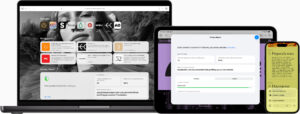
The browser has also been optimised to work seamlessly with Apple silicon, enabling responsive performance while minimising power consumption.
Industry-Leading Privacy Protection
Privacy remains at the heart of Safari’s design. In 2019, Safari became the first major browser to block all third-party cookies by default, significantly limiting the ability of advertisers to track users across multiple websites.
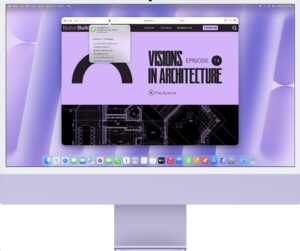
Building on that foundation is Intelligent Tracking Prevention (ITP), a machine learning-powered system that identifies online trackers, removes their stored data and hides users’ IP addresses from known tracking networks. The technology works automatically in the background, helping to reduce unwanted profiling without requiring user intervention.
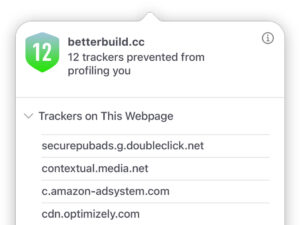
Safari also provides a Privacy Report feature, giving users a clear overview of how many trackers have been blocked and which websites attempted to track their activity.
Fighting Browser Fingerprinting
Beyond cookies, many data companies attempt to identify users through a technique known as browser fingerprinting, which analyses device characteristics such as screen resolution, installed fonts and system configurations.
Safari combats this through advanced anti-fingerprinting technology that presents a simplified and more generic version of a user’s device information. By blending users into a larger crowd, Safari makes it more difficult for advertisers and data brokers to create unique digital profiles.
Private Relay Adds Another Layer of Protection
For subscribers of iCloud+, Apple offers Private Relay, a feature designed to further enhance online privacy.

Private Relay hides a user’s IP address across browsing traffic, ensuring that neither the internet service provider nor Apple can see both the user’s identity and browsing activity at the same time. This additional layer of protection helps prevent websites and networks from building detailed browsing profiles.
Safer Browser Extensions
Browser extensions can improve productivity, but they can also create privacy risks if granted excessive access to personal information.
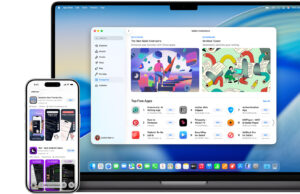
Safari addresses this by giving users clear visibility into what data an extension wants to access. Users can limit permissions to specific websites or grant temporary access for a single day, reducing the likelihood of extensions gaining unnecessary access to passwords, credit card details or browsing activity.
Private Browsing Gets Smarter
Private Browsing automatically blocks trackers, enables advanced fingerprinting protections and prevents the browser from storing visited websites, search history or form entries. Users can also lock private tabs using Face ID or Touch ID, adding an extra layer of security when handing their device to someone else.
Safari further enhances privacy with Link Tracking Protection, which automatically removes tracking parameters appended to URLs by advertisers and websites. This helps prevent companies from following users as they navigate across different sites.
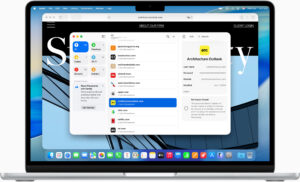
Another unique feature allows users to choose a different default search engine specifically for Private Browsing sessions, offering greater flexibility and privacy depending on their browsing needs.
For users already invested in the Apple ecosystem, Safari offers a combination of speed, battery efficiency and privacy protections that continues to set it apart in an increasingly crowded browser landscape. Find out more here.