


After travelling across multiple cities around the world, I found myself reflecting on the trips I’ve taken and realised I had never properly documented those moments. It felt like the right time to start putting those experiences into a journal, something more intentional than just leaving photos sitting in folders. And honestly, there’s no better way to do that than with the latest Apple MacBook Pro (M5 Max).
Powered by the Apple M5 Max chip, it doesn’t feel like just another upgrade to me. It feels like a machine built for the way I actually work. Whether I’m editing high-resolution photos, managing large libraries, or exporting finished projects, everything just flows. I’m not waiting around or adjusting my workflow to fit the laptop. Instead, it adapts to me, making the entire process feel smoother and far less interrupted.
Testing the M5 Max in the Real World
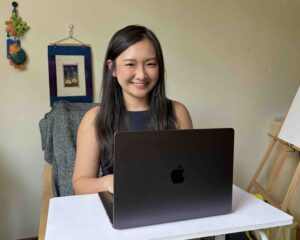
I used the MacBook Pro as my main workstation, and that’s where it really clicked for me. Instead of juggling between different devices, I was able to handle everything in one place, from importing RAW photos to building full travel presentations. It made the entire workflow feel much cleaner and more focused, especially when I was working across content from multiple countries. In many ways, it naturally became my portable creative setup.
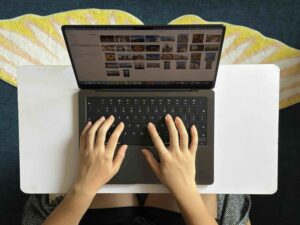
Part of that experience comes down to the hardware. With up to a 16-core CPU and a powerful GPU, it handles demanding tasks like photo editing, multitasking, and heavier creative work without feeling strained. The support for large unified memory configurations, up to 128GB, also makes a real difference when I’m working with massive photo libraries or switching between multiple creative apps at once.
The Liquid Retina XDR display is another standout. Colours look accurate, details are sharp, and the brightness makes it easy to work comfortably even in brighter environments. Combined with storage options that go up to multiple terabytes, it gives me the flexibility to manage high-resolution RAW files across different trips without constantly worrying about space.
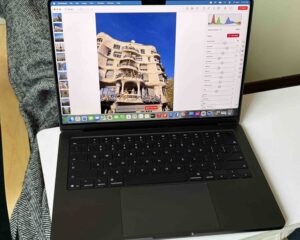
At the same time, I wasn’t just editing. While writing down my travel memories, I was constantly looking up the background of places, checking locations, and adding context to my journal. I had multiple browser tabs open alongside editing software and presentation apps, but the MacBook never felt like it was slowing down. Everything stayed smooth, which made it easy to stay in the flow and focus on the creative process without distractions.
High-Resolution Photo Editing
Working with high-resolution photos from four to five countries really pushed the system, but it handled everything comfortably. Importing large batches of RAW/JPG files was quick, and editing them, whether adjusting colours, recovering details, or layering images, felt consistently smooth.
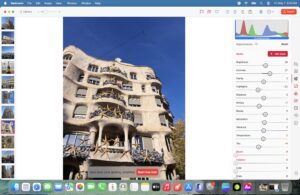
Even when I was dealing with thousands of photos, I never felt like I had to hold back. I could just keep going without worrying if the system would start lagging.
Turning Photo Albums into Visual Stories
What I enjoyed most was turning my photos into something more meaningful. Instead of leaving them as separate images, I started creating collage-style albums, then turning those into simple slideshow videos, along with presentation decks focused on food and key sights.
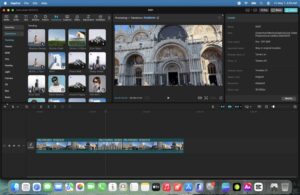
The whole process felt straightforward on this machine. Transitions between apps were smooth, exports were fast, and I didn’t feel limited even without doing heavy video editing.
Travel Journal 1: First Solo Trip (Germany)
My first travel journal focused on Germany, which was also my first solo trip. That experience already meant a lot to me, but working on the journal made me appreciate it even more. Germany has this balance of being historic yet modern, structured yet calm, and I found myself naturally drawn to capturing everything, even the quieter moments.
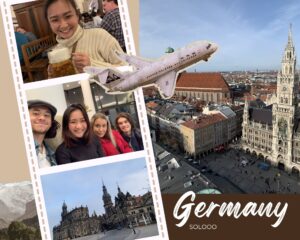
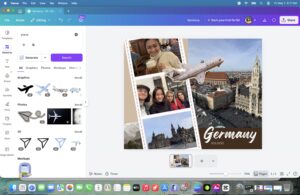
As I pieced the journal together, I realised why I fell in love with the trip. It wasn’t just the landmarks, but the small, in-between moments, walking through streets, sitting down for meals, just observing. Using the MacBook Pro, I was able to take all those fragments and turn them into something complete, with edited photos, collages, and a structured presentation. For the first time, it felt like I had properly documented a trip that meant something to me.
Travel Journal 2: Multi-Country Reflection (Europe)
The second project was inspired by a multi-country Europe trip, similar to journeys across cities like Madrid, Barcelona, Lisbon, Munich, Vienna, Lake Bled, Venice, and Milan. It’s the kind of trip where everything moves quickly, and you’re constantly capturing moments across different places and cultures.
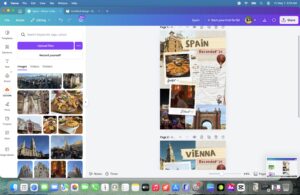

For me, this became a way to finally bring together my own travels across four to five countries. I grouped everything into themes like food, architecture, and candid moments, and built a single travel journal instead of leaving them scattered. Even with a much larger photo library, the MacBook Pro handled everything smoothly. I could organise, edit, and build out the final outputs without feeling overwhelmed. In the end, it wasn’t just about creating content; it felt like I was finally making sense of all my past trips in one place.
Performance Verdict: Built for Heavy Creatives
For my kind of workflow, the Apple MacBook Pro (M5 Max) really delivers. It’s not just about having more power. It’s about being able to do everything at once without slowing down. I could edit photos, write my journal, research locations, and build presentations all at the same time, and it never felt like too much.
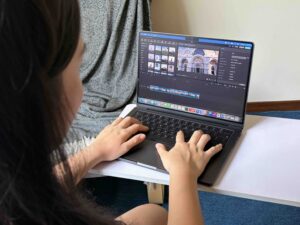
In the end, it didn’t just help me process my travel content; it pushed me to finally create something meaningful out of it.
The Apple MacBook Pro (M5 Max) can be purchased at all Apple stores or the Apple online store, with a starting price of S$5,324.00.