



The new Acer Predator Helios Neo 16S AI (2026) doesn’t try to overcomplicate things; it focuses on delivering a faster, smoother, and more responsive gaming experience. My unit packs a GeForce RTX 5060 Laptop GPU, Intel Core Ultra 9 386H processor (up to 4.9GHz), 32GB DDR5 6400MHz RAM, and a 1TB SSD, paired with a stunning 16-inch OLED WQXGA (2560×1600) 165Hz display with 100% DCI-P3. But numbers aside, what really matters is how it performs in games.
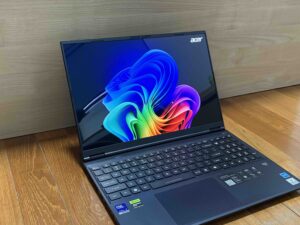
After spending time with demanding titles, I could tell this laptop is focused on what actually matters: smoother gameplay, faster response, and smarter, AI-driven performance.
The first thing that stood out to me was NVIDIA DLSS 4, and if you’re not familiar with it, here is the simple way to think about it. DLSS (Deep Learning Super Sampling) is an AI-powered upscaling technology that boosts gaming performance (frame rates) while maintaining high visual quality. With NVIDIA DLSS 4, NVIDIA has taken this further by introducing Multi Frame Generation, which actually creates additional frames using AI. AI helps “fill in the gaps”, giving you smoother gameplay and better performance. Check out my gameplay in the video!


In Resident Evil: Requiem, the difference was very noticeable. The game leans heavily on atmosphere, lighting, and detailed environments, and NVIDIA DLSS 4helped keep everything running smoothly without breaking immersion. Even in darker scenes with complex lighting and shadows, frame rates stayed stable. What impressed me most was that the visuals looked sharp and clean. Textures were crisp, and distant details didn’t blur out. Ray tracing also adds to the experience. Lighting and shadows create a much deeper sense of atmosphere, making environments feel more immersive and realistic.

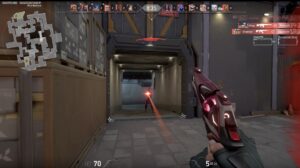
Switching over to Valorant, responsiveness matters as much as the visuals. With the GeForce RTX 5060 Laptop GPU, gameplay felt incredibly smooth, and frame rates stayed consistent during intense firefights. Paired with the 165Hz display, everything felt fast and controlled, especially during quick flicks and sudden engagements. NVIDIA Reflex focuses on reducing input lag in competitive games. Aiming or reacting shows up on screen faster. I could feel that responsiveness immediately, especially in tight situations.
Check out Pagmata in the video here, too.
Underneath all of this, the Intel Core Ultra 9 386H and 32GB RAM handled everything I threw at it without breaking a sweat. I was gaming, running background apps, and even doing some light content work in between. More importantly, performance stayed consistent over longer sessions.
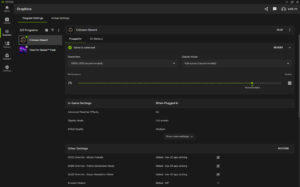
On the productivity side, NVIDIA Studio also brings about benefits. Video editing, rendering, and even AI-assisted tools feel faster and more responsive. It helped to optimise my game performance to give me the best in-game experience.
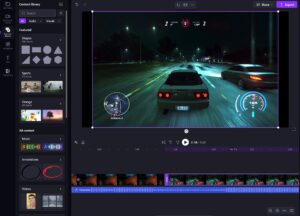
Tasks like previewing edits, exporting videos, or applying effects took less time, making it a capable machine not just for gaming, but also for creative work.


The OLED display adds to both experiences. With 100% DCI-P3 colour coverage, visuals are vibrant and accurate, which is great for both gaming and editing. Deep contrast makes darker scenes stand out, while the 165Hz refresh rate keeps everything looking smooth.

At under 2kg and under 20mm thick, this doesn’t feel like your typical bulky gaming laptop. It’s something I can easily carry around daily. Despite the slim design, it still delivers a proper gaming experience without compromise.

Overall, the laptop strikes a really strong balance. It’s powerful enough to handle demanding AAA titles, smooth and responsive for fast-paced games, and capable enough for productivity and creative work. With technologies like NVIDIA DLSS 4 making a real difference, it delivers smarter performance.
The Predator Helios Neo 16S AI (2026) retailing from S$4,299. Find out more here.